1. First things first: you're going to need a copy of RepRap Firmware.
Either download a fresh version from GitHub, or edit your existing one.
You can edit your existing firmware either through the online configuration tool, or through G-Code.
If you download a fresh version of firmware you'll have to configure more settings than the ones mentioned in this guide so that it will work well with your printer.
2. Manual Editing:
Use M563
3. Online Editing:
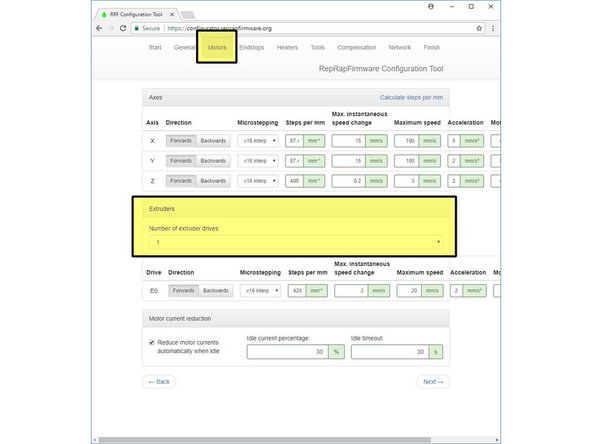
Go to the:
Motors tab
and set the number of extruder drives to 2.
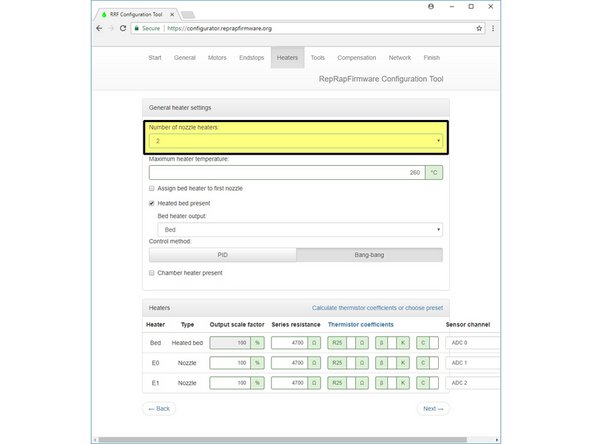
Go to the:
Heaters tab
and set the number of:
nozzle heaters
to 1.
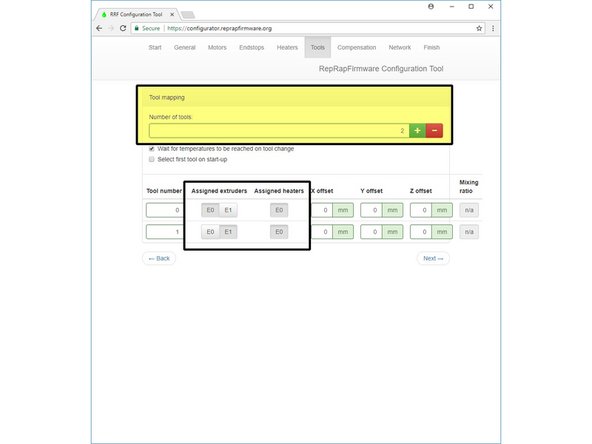
Go to the:
Tools tab
and assign your tools so that each tool has one extruder (motor) and shares a heater.


4. Manual Editing:
For firmware versions 1.16 and earlier, send the following G-Code commands to your printer:
M305 P1 B4388 and M305 P2 B4388
For firmware versions 1.17 and later, send the following command instead:
M305 P1 B4725 C7.060000e-8 and M305 P2 B4725 C7.060000e-8
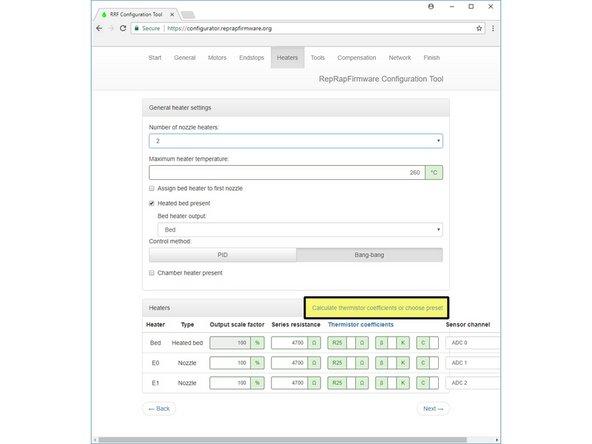
5. Online Tool:
Click on the Calculate Thermistor Coefficients button in the Heaters tab, and select:
Semitec 104-GT2 (used by E3D)

from the drop-down menu. Do this for both HotEnds (E0 and E1)

6. Manual editing:
Update your maximum temperature by sending the following G-Code command to your printer:
M143 S285
While the V6's metal components can handle very high temperatures, the included thermistor cartridge will struggle with temperatures over 285°C (if you want to go higher, get a PT100).
7. Online Editing:
Update your maximum temperature by going to the heaters tab and changing the option to 285.
8. Simply restart your printer for your new values to come into effect.
If you're unsure of how to update your printer's firmware, check with its manufacturer.