1. First things first: you're going to need a copy of RepRap Firmware.
Either download a fresh version from GitHub, or edit your existing one.
You can edit your existing firmware either through the online configuration tool, or through G-Code.
If you download a fresh version of RepRap Firmware you'll have to configure more settings than the ones mentioned in this guide so that it will work well with your printer.
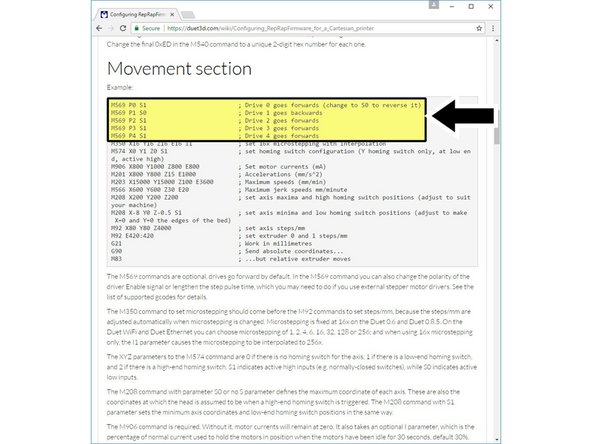
2. Flip the corresponding line in your
config.g
file from
S1
to
S0
or vice versa:
M569
You can also simply send the:
M569
command through your favourite printer control software.
3. The next thing we'll have to update is your printer's E-steps-per-mm.
Your slicer will generate G-Code for your printer, which will tell it to extrude a certain length (in millimetres) of filament. Your printer takes those lengths of filament and calculates how much it should rotate the Hemera stepper motor to push out the expected amount filament. This number is used to make that conversion
For a x16 microstepping setting you should be using a value of 409.
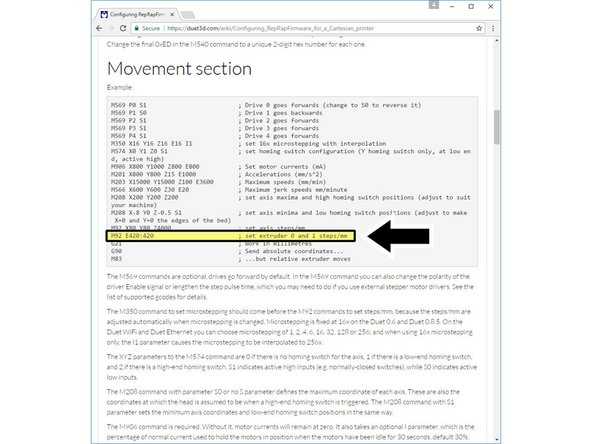
4. Over USB Connection
Use a printer control software to connect to your printer. Send the command
M92 E<your number here>
to your printer.
5. Then, send M500 to store your settings
Update your
config.g
file manually:
Update the following line with your new number:
M92
6. Manual Editing:
For firmware versions 1.16 and earlier, send the folowing G-Code command to your printer:
M305 P1 B4388
For firmware versions 1.17 and later, send the following command instead:
M305 P1 B4725 C7.060000e-8
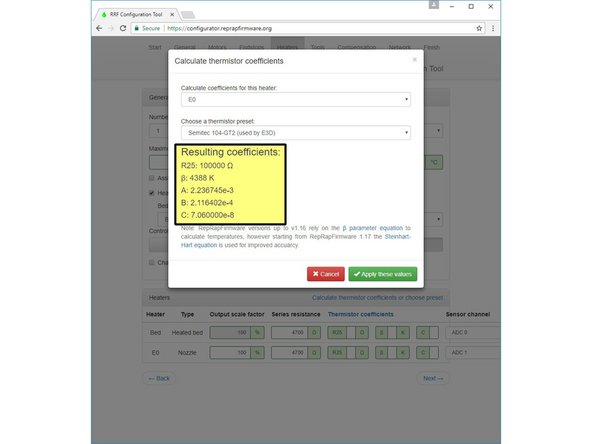
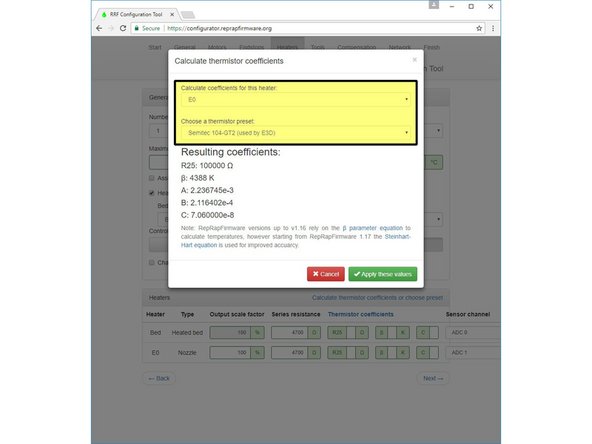
7. Online Tool:
Click on the Calculate Thermistor Coefficients button in the Heaters tab, and select Semitec 104-GT2 (used by E3D) from the drop-down menu.
Update, For the most recent version of the reap rap firmware you should be using the following parameters for the thermistor:
T parameter: 100 000

B parameter: 4725

C parameter: 7.06e-8
8. Manual editing:
Update your maximum temperature by sending the following G-Code command to your printer:
M143 S285
While Hemera can be used for high temperature printing the maximum rated temperature of the thermistor is 285ºC.
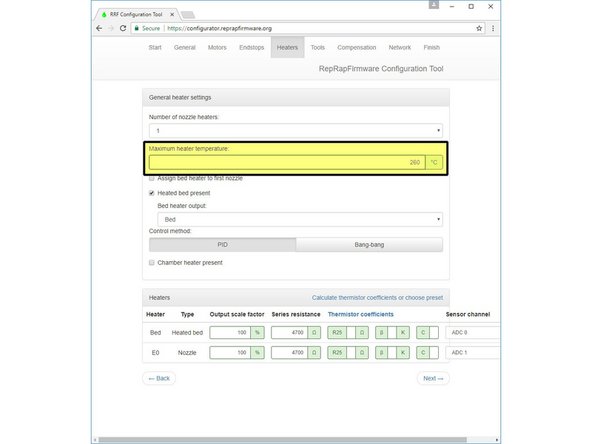
9. Online Editing:
Update your maximum temperature by going to the heaters tab and changing the option to 285ºC.
10. Save the firmware to your SD card as you normally would. If you're having issues, check with your printer's manufacturer.
11. If you're unsure of how to update your printer's firmware, check with its manufacturer.