Image Standards Guide
When taking images and videos to send to the Support Team please ensure that the below standards are met, this ensures that your enquiry can be dealt with in the most effective and efficient way.
Background
Please take images with the items against a white background, if you do not have a suitable background, you can use a sheet of paper and supply multiple images if needed. This is especially important with small components such as Nozzles.
Focus
Please make sure that the items and any relevant text in the images are in focus. If you cannot see the items clearly or read the text where relevant, we most likely will not be able to do so either.
Lighting
Please ensure that the lighting is not too strong or too dark including spotlighting as this will make it difficult to assess the items included in the image.
Barcodes
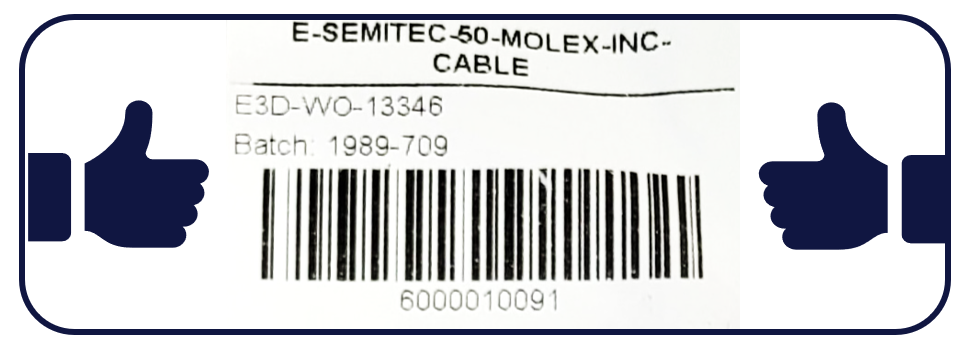
Our product boxes and components included in kits will have barcode stickers on them. Please ensure that the barcodes are included in your images and that the text is clear and easy to read as this will help with our internal investigation.
Framing
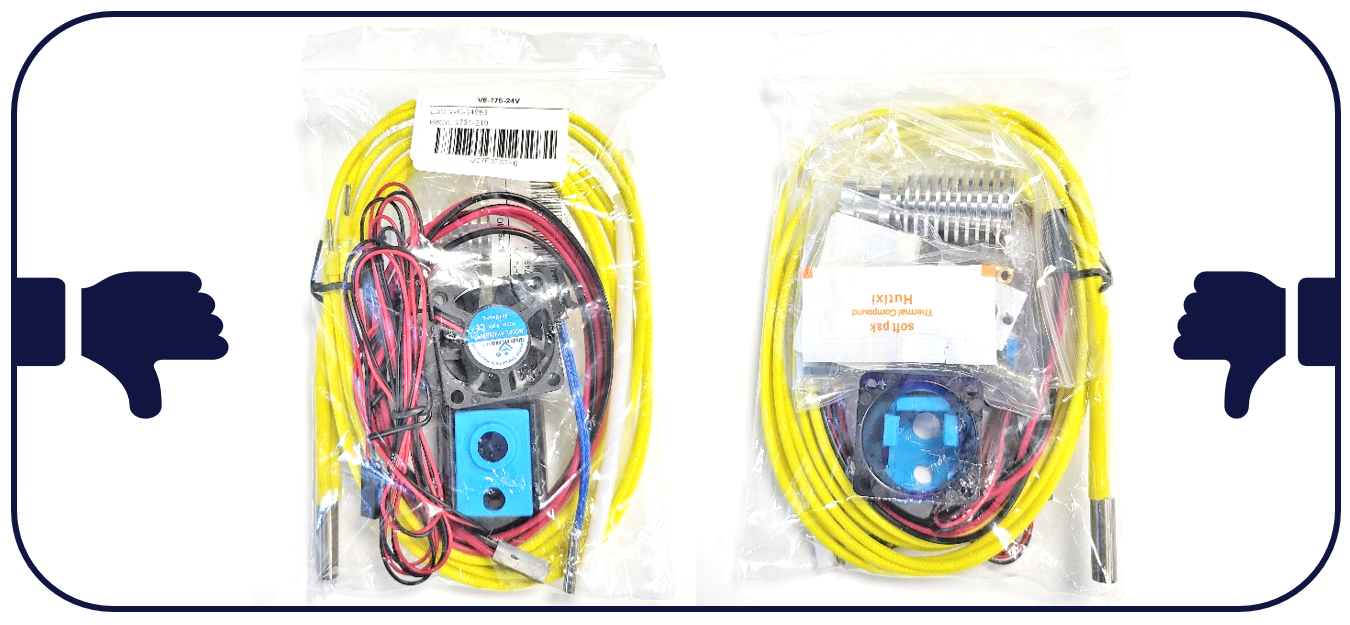
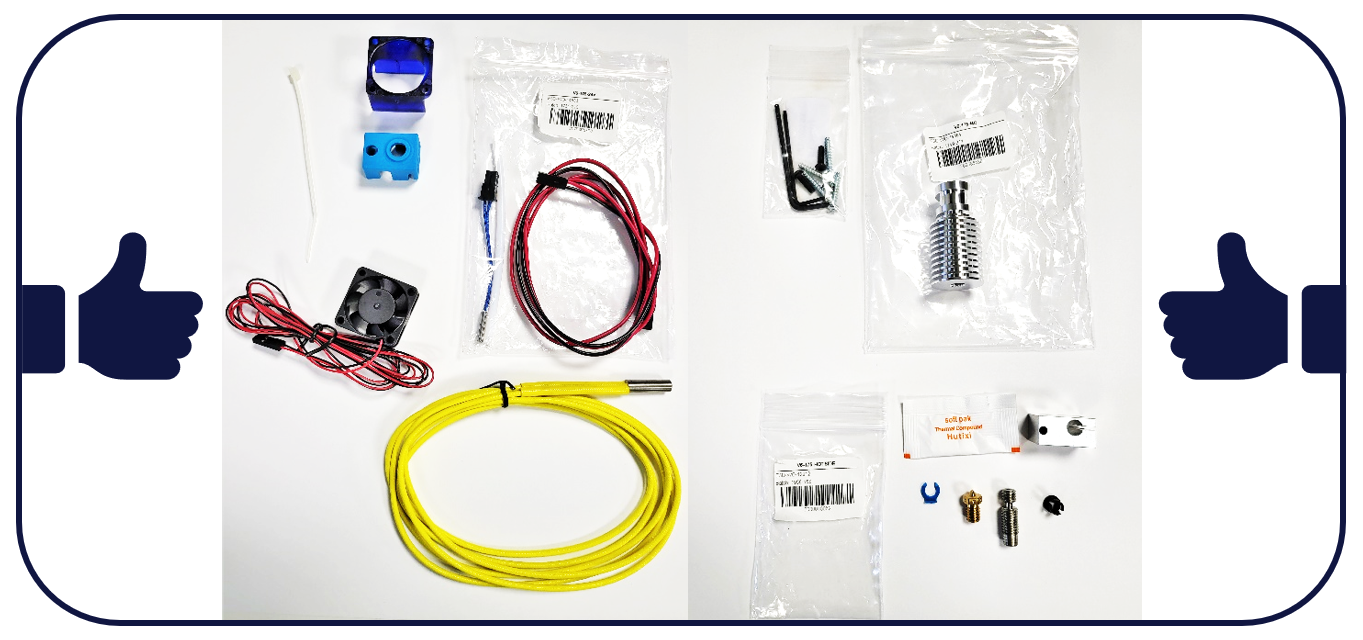
Please ensure that all items are included in the image and that they are all visible, you should remove the items from the packaging and lay them out so all components can be identified. You can also take multiple images if needed.
Identifying details
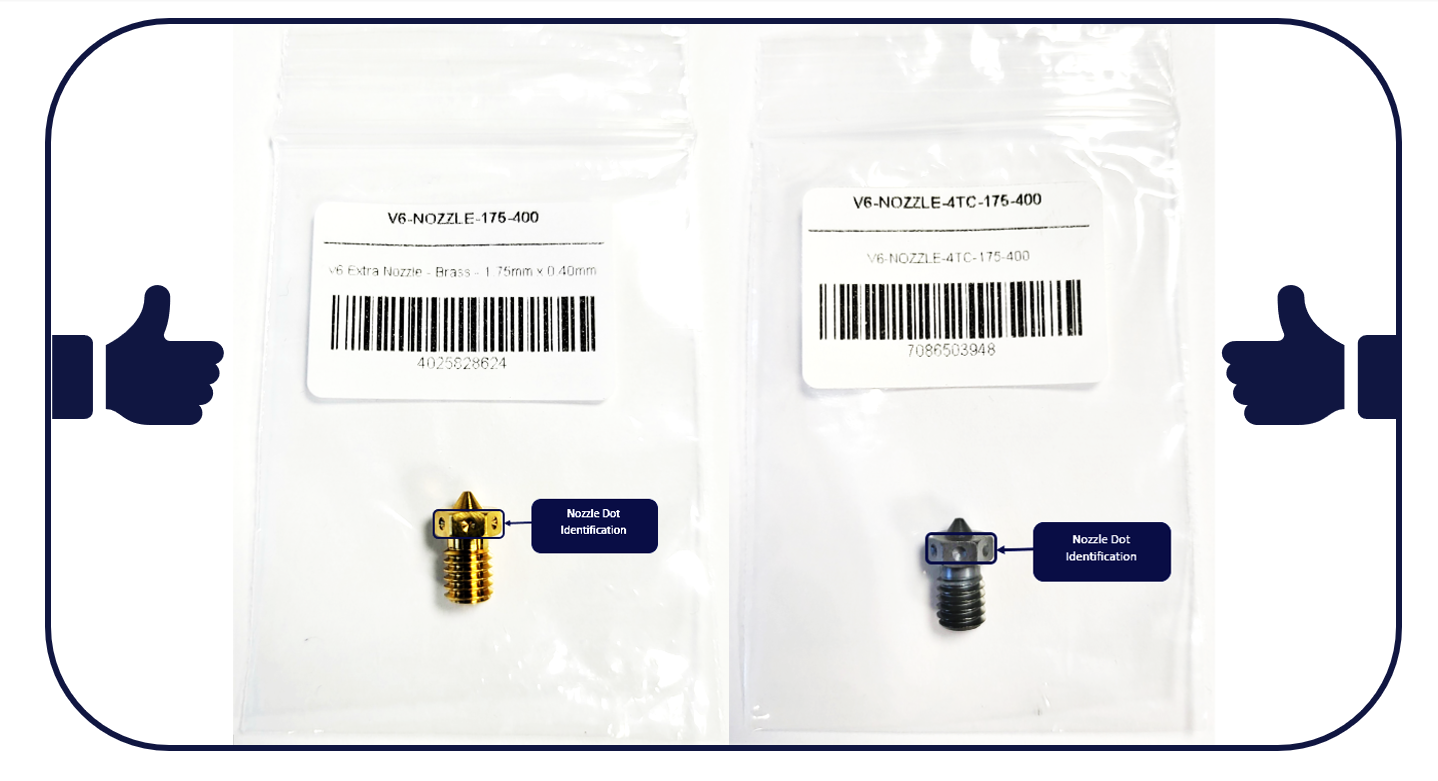
Items such as nozzles will have dots around the nozzle base, these help identify the nozzle type and size. If you are contacting us regarding a nozzle, please ensure that these are visible and inform us of the support form of the number as well.
Please note that the Support Team may ask for further images, videos, files, or details to assist with your enquiry.
Frequently Asked Questions
Why does E3D ask for images of my order when the Product or Component is missing or damaged?
At E3D-Online we try to ensure that all orders contain all items, however, sometimes this doesn’t go according to plan, and an item or component is missed. To help us improve our internal processes and ensure that no other components or items are missing from your order we ask for images of the items that you have received so we can internally investigate.
In some cases, damage can only affect the product aesthetic, in these cases, we ask for an image so we can assess if the damage is only to the product look and not function.
Supplying clear images of the items that have been received will help in narrowing down where the error has occurred, from this we can review, amend, and implement our internal process to prevent the issue in future.
What is a product Kit or Kitted Product?
Kit refers to a non-assembled product such as a V6 HotEnd, these kits usually contain multiple bags of components to help our customers stay organised when assembling the item. These bags are usually pre-sorted into their relevant categories such as electronics, HotEnd metal parts.
When taking images of the items that you have received in your order, we recommend that the components remain in these groups where possible. This helps us review the image in a systematic way and can speed up our investigation.
What are the barcodes on the items for?
We use an internal barcode system to link the items and components to specific dates and batch numbers for each product. This helps us review the process the product has been through and speeds up our internal review.
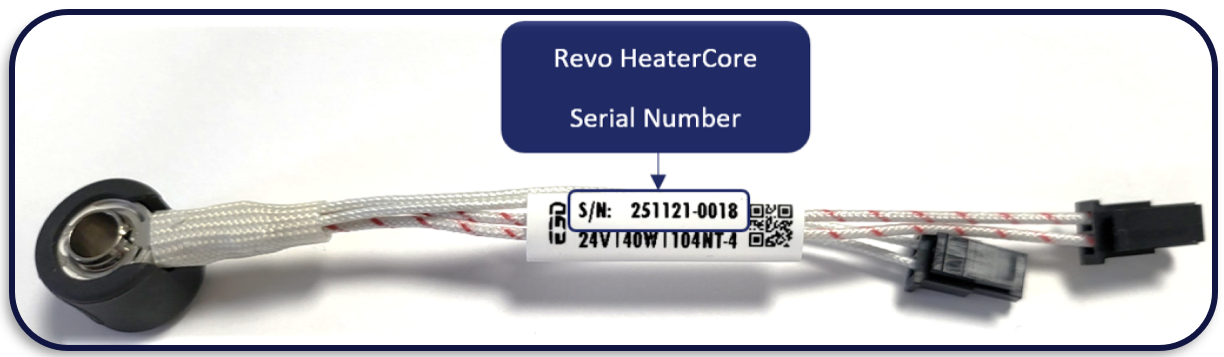
Where can I find the HeaterCore Serial Number?
The Serial Number can be found on the tag attached to the red and white wire of the HeaterCore.
What do you need in the image?
Please refer to the Image Standards Guide to ensure that the image meets our standards
Can I send multiple Images?
You can send multiple images if you ensure that all the components and items are included, this is a great help if the order is for multiple products or if there are many individual components like for our ToolChanger and Motion System.
Where Can I Find My Order Number?
Your order number can be found on the packing list, email conformation and the My Orders section of your E3D-Online Account
If you have any further questions that have not been covered above, please contact our Support Team who will be happy to help.